
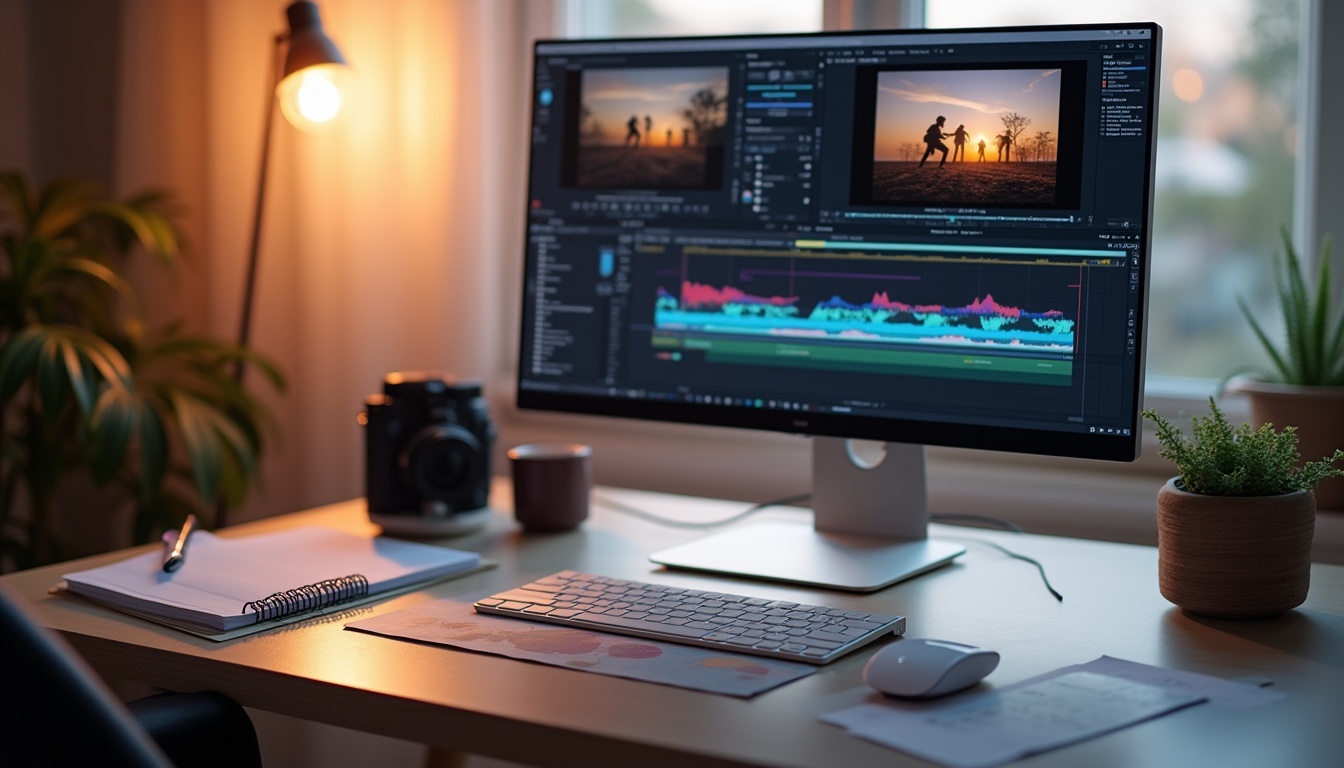
Introduction to Video Editing
Video editing is the process of manipulating and rearranging video shots to create a new work. It involves editing segments of motion video production footage, special effects, and sound recordings. In the digital age, video editing is both a personal and professional tool, integral to creating engaging content for various platforms.
As of 2025, the landscape of video editing has seen revolutionary changes with the integration of advanced Artificial Intelligence (AI) tools and increasingly user-friendly software interfaces. Recent statistics indicate a surge in video consumption, with 82% of global internet traffic projected to come from video streaming and downloads by the end of the year, highlighting the growing importance of proficient video editing skills.
Essential Video Editing Software
Navigating through the plethora of video editing software can be daunting for beginners. Thus, understanding the nuances of popular tools is pivotal. Tools like Adobe Premiere Pro, Final Cut Pro, and DaVinci Resolve dominate the market.
Adobe Premiere Pro is renowned for its robust editing tools and integration with other Adobe applications, making it a favorite among professionals. A subscription-based pricing model starting at $20.99 per month makes it accessible for serious editors. Not only does it offer extensive editing features, but it also enables users to work collaboratively through Adobe’s Creative Cloud, streamlining the production process.
Final Cut Pro offers powerful editing capabilities on Apple devices and is favored for its one-time purchase cost of $299.99. Its user-friendly interface and speed optimization for Mac computers make it a preferred choice for Mac users. Professionals often commend its magnetic timeline, allowing seamless adjustments without the risk of disrupting adjacent clips, which is particularly advantageous during complex editing tasks.
DaVinci Resolve stands out with its exceptional color grading and audio post-production features. Impressively, it offers a free version with extensive features, while the studio version costs $295, providing access to even more advanced tools. Its integration of color correction, visual effects, and audio post-production in a single software makes it appealing for filmmakers who wish to streamline their workflow without needing multiple applications.
Recommendation: Beginners might prefer starting with DaVinci Resolve for its cost-effectiveness and comprehensive feature set or Final Cut Pro for its simplicity and speed if they are Mac users. By investing time in understanding the software’s functionalities, aspiring video editors can significantly enhance the quality of their creative outputs.
Basic Video Editing Techniques
Mastering basic video editing techniques is essential for any aspiring video editor. Key techniques include:
- Cutting and Trimming: This is the basis of video editing, allowing the editor to select important frames and discard the rest. For instance, a cut can help eliminate unnecessary dialogue, resulting in a more dynamic pacing that maintains audience engagement.
- Basic Transitions: Techniques like fades, cuts, and dissolves are crucial. A cut is the most direct way to transition from one scene to another, while a fade gradually transitions from one scene to a blank canvas or vice versa. A dissolve overlaps two scenes for a period, thus merging them together, creating a smooth flow that can signify a passage of time or shift in emotion.
- Adding Music: Soundtracks and audio effects play a significant role in the viewer’s experience and can enhance the emotional impact and pacing of the video. Consider a documentary; the right music can elevate tension during climactic moments or provide relief during lighter segments.
Tip: When starting out, focus on cutting and aligning clips to the beat of the background music — a fundamental technique that elevates the professionalism of your video edits. Editing on beat can enhance the viewer’s emotional response, drawing them deeper into the story.
Advanced Video Editing Techniques
For those aspiring to elevate their video editing craft, advanced techniques are necessary:
- Color Grading: This is the process of enhancing the color to create a new visual tone. It can dramatically shape the narrative by setting the mood and aesthetics of the footage. For example, a warm color palette can evoke feelings of nostalgia, while cooler tones may create a sense of tension or unease.
- Keyframing: Keyframes are used to specify the start and end points of any transition, making them essential for implementing motion effects and other dynamic transformations. This technique allows for intricate animations, such as text moving in synchrony with the scene’s action, thus captivating the audience.
- Motion Graphics: Integrating elements like animated text and logos can add a layer of polish and professionalism to any video project. For instance, a title sequence that smoothly introduces the video’s theme can enhance viewer engagement from the outset.
As video editing technology advances, the ability to manipulate color grading and motion graphics with precision has become more accessible to beginners, offering expansive creative potential. Leveraging these tools can elevate an ordinary video into a compelling visual story, appealing to viewers across various platforms.
Video Editing Workflow
The video editing process can vary significantly based on the specific project, but a general workflow includes:
- Pre-Production Planning: This preparatory stage is crucial for a smooth editing process, involving scriptwriting, storyboard creation, and more, ensuring all necessary shots are accounted for before filming begins. Inadequate planning can lead to inefficient editing, where editors may struggle to piece together a coherent narrative.
- Editing Timeline Organization: A well-organized timeline is key to an efficient editing process. Segmenting clips into bins based on scenes, takes, or types of media can save significant time, allowing editors to focus on creative aspects rather than logistical challenges.
- Exporting and Sharing Your Video: Once editing is complete, exporting your video in the correct format is crucial for distribution. Whether for social media, a film festival, or personal use, knowing the right export settings ensures your video looks its best across all platforms.
Focusing on these workflow elements can significantly expedite the editing process and enhance the final product’s quality, providing budding video editors with the structure needed to manage projects effectively. Continuous practice, paired with engagement in feedback, will facilitate technical skill development as well as artistic growth.
With these foundational principles, tools, and techniques outlined, beginners have a clear path to mastering video editing in 2025. As technology continues to evolve, the potential for creative video content becomes limitless, making this an exciting and opportune time to start your video editing learning pursuit.
Understanding Video Formats and Resolutions
For aspiring video editors in 2026, understanding various video formats and their associated resolutions is crucial. The choice of video format affects file size, compatibility, and video quality. Common formats include MP4, AVI, and MOV, each serving different purposes. For example, MP4 is widely used due to its balance of quality and file size, making it perfect for online sharing. On the other hand, AVI is known for its higher quality but larger file sizes, which can be inconvenient for online platforms requiring quick uploads. MOV, developed by Apple, is often utilized for video editing because of its flexibility and quality but may not be compatible with all systems.
Resolution plays a significant role in video clarity and detail. Standard resolutions in 2026 range from 1080p to increasingly popular 4K and even 8K, which offer breathtaking detail and an immersive viewing experience. To understand the practical implications, consider this: 1080p resolution (1920 x 1080 pixels) is generally sufficient for many content creators, while 4K resolution (3840 x 2160 pixels) caters to professionals aiming for high-end production standards, such as filmmakers and gaming channels. Aspect ratios, such as 16:9 for widescreen and 9:16 for smartphones, are equally important as they influence the visual appeal and framing of your content, and understanding these can drastically affect how your audience engages with your videos.
Building Your Video Editing Skill Set
In the fast-evolving field of video editing, continuous learning is vital. A plethora of online courses and tutorials are available, tailored specifically for beginners. Platforms such as Coursera and LinkedIn Learning offer comprehensive courses that not only teach basic skills but also explore advanced techniques such as color grading and sound design. Moreover, Youtube has a vast array of channels dedicated to video editing that provide free tutorials and tips, making it an excellent resource for both beginners and seasoned editors alike.
Building a professional network is equally crucial. Joining forums and online communities can provide support and insights from more experienced editors. Platforms like Behance and Vimeo are excellent for showcasing your work and receiving feedback. By sharing your projects, you can gain visibility and constructive criticism that will enhance your skills. Additionally, participating in contests, such as those found on FilmFreeway, can offer exposure and opportunities to collaborate with others, allowing you to grow in a supportive environment.
Staying updated with the latest trends is essential. In 2026, immersive video content, like 360-degree videos, is on the rise. Video editors need to learn new tools and techniques to meet the industry demands, including using specialized editing software like Adobe Premiere Pro that supports VR and 360-degree content. Educating oneself about this type of content could open doors to new projects and clients looking for cutting-edge visuals.
Tips for Effective Storytelling through Video
Storytelling is an art form that breathes life into a video. Effective storytelling can evoke emotions and build a connection with the audience. Key techniques include:
- Understanding your audience to tailor the content’s tone, style, and message. Consider demographics, interests, and preferences to craft a compelling narrative that resonates.
- Using the rule of thirds to create visually appealing scenes. This composition technique helps place the focus where it naturally draws the viewer’s eye, enhancing the overall aesthetic.
- Pacing your story well to maintain engagement. A well-timed blend of visuals, audio, and narrative keeps viewers interested and invested in the content.
Real-world examples like Dove’s “Real Beauty” campaign utilize these storytelling techniques to great effect, promoting their product through powerful messaging while also sparking significant social conversations about beauty standards. Such campaigns highlight the power of storytelling in connecting with viewers on a deeper level, illustrating how emotions can drive brand loyalty.
The Future of Video Editing
The horizon of video editing is continuously expanding with technological advancements. Artificial intelligence (AI) is becoming more integrated into the editing process, offering tools that automate mundane tasks like syncing audio to video. This automation allows editors more time to focus on creative aspects. Recent studies from 2025 indicate that approximately 75% of video editors believe that AI will revolutionize their workflow, particularly in editing software where real-time suggestions could soon become commonplace.
Furthermore, as live streaming gains popularity, video editors are anticipated to adapt skills for real-time content production, requiring them to think on their feet and utilize quick editing techniques. Future predictions suggest that editors may need to have a strong understanding of various platforms and their specific requirements, including TikTok and Instagram, which continue to evolve and provide new formats and features for creatives.
FAQs
What is the best video editing software for beginners?
Adobe Premiere Pro and DaVinci Resolve are highly recommended due to their comprehensive features that are accessible for beginners. Premiere Pro provides a user-friendly interface with an abundance of tutorials available, while DaVinci Resolve boasts powerful color grading tools that are beneficial for more advanced projects.
How long does it take to learn video editing?
The learning curve can vary, but with consistent practice, most can grasp basic editing within a few months, while mastering complex techniques can take years. Setting specific goals and timelines, such as completing a project every month, can help keep learning on track.
What are some common mistakes to avoid in video editing?
Overusing effects can distract from the story. It’s crucial to keep edits clean and purposeful. Additionally, neglecting audio quality often results in a subpar viewing experience; always ensure your audio is clear and balanced.
How can I improve my video editing skills?
Practice regularly, seek feedback from peers, and stay updated with new tools and trends in the industry. Participating in workshops or hands-on projects can provide practical experience that enhances your capabilities.
Is video editing a viable career?
Absolutely! Video content is more prevalent than ever before, and skilled video editors are in high demand across various industries, from advertising to education and entertainment. The rise of digital platforms continues to create a wealth of opportunities for talented editors willing to adapt and grow.
Conclusion
As we’ve explored, video editing is an exhilarating field rich with opportunities for creative expression and professional growth. From understanding video formats and resolutions to leveraging storytelling techniques, the journey to becoming a proficient video editor is full of learning and exploration. Embrace the challenges, stay curious, and continually refine your skills to master the art of video editing. Enter this dynamic field with enthusiasm, and let your creativity guide you in producing compelling and engaging video content. With dedication and adaptability, the future holds vast possibilities, making this an exciting time to be involved in video production.
Leave a Reply