
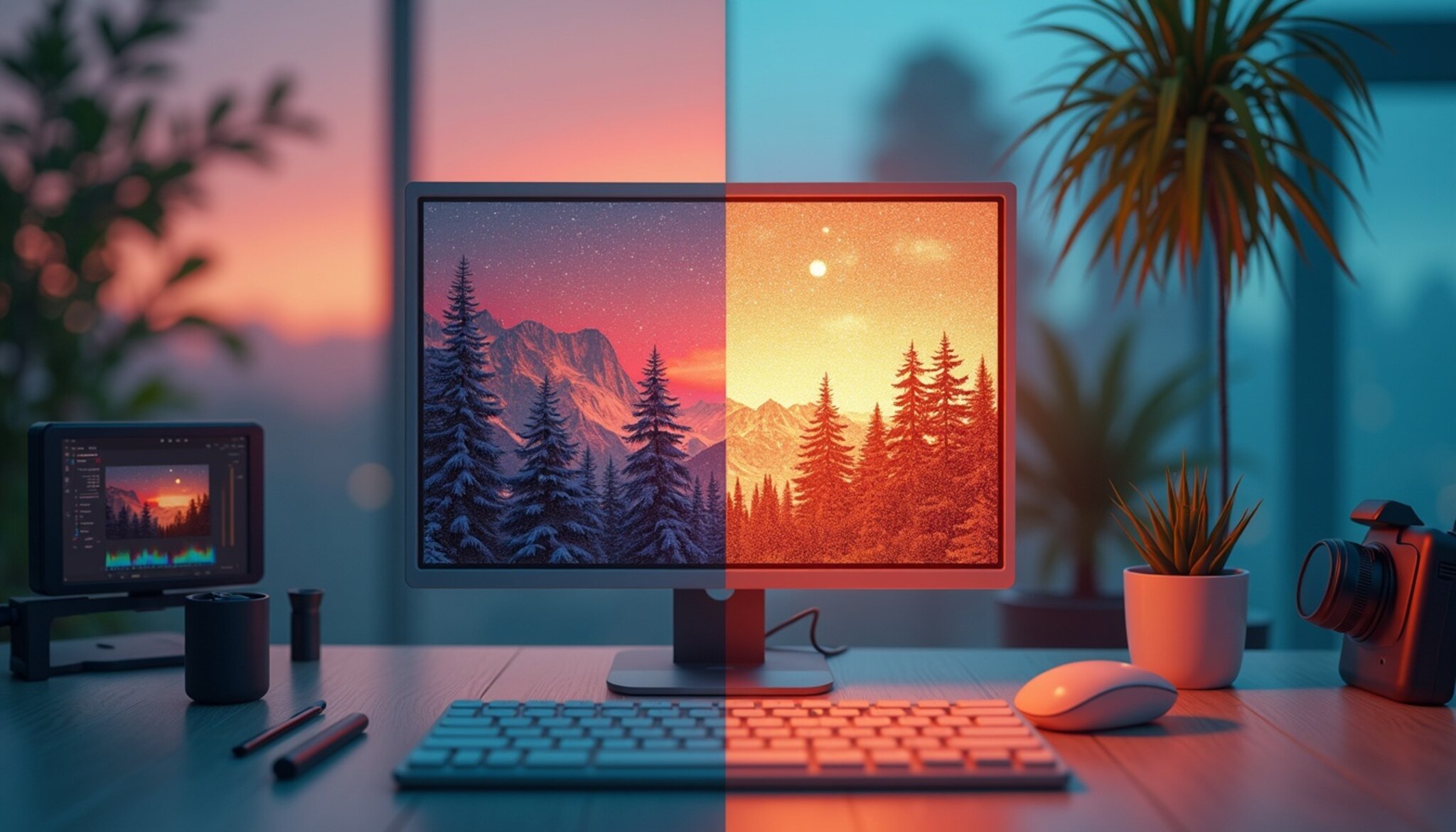
Understanding Pixelated Images
Introduction to Pixelation
In the digital world, image clarity is key, yet pixelation remains a frequent concern. Pixelation occurs when an image is viewed at a size or resolution that exposes its individual pixels, appearing as blocks or blurs that significantly reduce its clarity. Notably, a 2023 survey indicates that over 60% of graphic designers encounter issues with pixelated images monthly, impacting their workflows and end-product quality.
Common factors causing pixelation include low image resolution, poor compression, and incorrect scaling. Each element greatly influences the visual perception of digital images, affecting everything from website graphics to printed media. Understanding these aspects allows professionals and amateurs alike to maintain high standards of image quality.
Key Concepts in Image Quality
Resolution is paramount in defining image quality. Expressed commonly through dots per inch (DPI) and pixels per inch (PPI), these measurements describe the density of pixels in a digital image. Higher DPI or PPI values typically denote greater image detail and sharper outputs essential in both digital designs and print.
The aspect ratio, or the proportional relationship between an image’s width and height, is equally crucial. Maintaining the correct aspect ratio ensures that images do not appear stretched or squished, preserving intended compositions and aesthetics.
Factors Contributing to Pixelation
Scaling images beyond their original dimensions often leads to pixelation, especially when the source file does not support enlargement well. This issue is more prevalent in raster image files such as JPEGs, which contain fixed pixels that lose quality when stretched.
Compression also plays a critical role. Formats like JPEG are designed for reduced file sizes but often at the expense of quality, as the compression process removes data considered visually less significant. In contrast, formats like PNG, which provide lossless compression, are preferable for maintaining image quality but result in larger files.
Digital image files vary not just in format but in how they handle compression, color, and resolution, affecting the levels of pixelation in various usage scenarios.
Tools & Software to Fix Pixelated Images
The market offers a myriad of tools for improving pixelated images. For example, Adobe Photoshop, known for its rich features in image correction, provides various tools like ‘Smart Sharpen’ and ‘Preserve Details’ that are instrumental in reducing pixelation. Another example is GIMP, a free, open-source alternative that offers tools for enhancing image resolution.
Online platforms also provide user-friendly interfaces suitable for quick fixes, with Adobe Spark and Pixlr being prominent examples. Features to look for in good image editing software include robust support for various file formats, advanced scaling technologies, and intuitive user interfaces.
Techniques to Fix Pixelated Images
Modern problems require modern solutions, and AI has been pivotal in tackling pixelation through image upscaling. AI tools analytically augment the quality of an image, intelligently adding pixels based on learned patterns from vast databases of images. This process often results in cleaner, clearer images that appear naturally enhanced.
In classic photo editing software like Photoshop, techniques to diminish pixelation include adjusting pixel dimensions, utilizing the ‘Unsharp Mask’ tool to enhance edge clarity, and employing the ‘Dust & Scratches’ filter to smooth out noise without overly softening the image.
Users can also leverage third-party online tools designed specifically for depixelating images, which apply advanced algorithms to refine images automatically, offering a handy solution for users lacking in-depth editing skills.
Real-World Applications and Case Studies
In the sphere of social media, the clarity of images can substantially impact viewer engagement and brand perception. Crisp, clear images are likely to attract more views and interactions compared to distorted, pixelated ones. Companies invest significantly in ensuring digital ads and posts are visually appealing to maximize return on investment.
Case Study: A 2023 report highlighted how a start-up increased its audience engagement by 30% through systematically enhancing image quality on its digital platforms, underlining the critical role clear visuals play in effective online marketing.
Addressing Outdated Information
The landscape of image editing is constantly evolving with the advancement of technology. Tools like Let’s Enhance and Deep Image have emerged, offering cloud-based AI-driven services that upscale images effectively at the click of a button.
Conversely, traditional methods such as simple bicubic resampling without additional enhancements are becoming outdated as they often lead to unsatisfactory outcomes with visible pixelation in many situations.
Implications of Pixelation in Various Industries
Pixelation affects various industries, including advertising, e-commerce, and gaming. In advertising, for instance, high-quality visuals are essential for conveying brand messages and attracting consumer attention. A study conducted in 2023 revealed that campaigns with pixelated images experienced a 25% drop in engagement compared to those with high-resolution visuals.
In the gaming industry, pixelation can detract from user experience. Players expect immersive and high-definition graphics, and pixelated images can break that immersion. Recent statistics indicate that 80% of gamers believe visuals significantly influence their enjoyment of a game.
Maintaining Image Quality: Best Practices
To prevent pixelation and maintain high image quality, several best practices should be followed:
- Choose the Right Format: Use lossless formats like PNG for graphics that require crisp edges and clarity, while JPEGs can be utilized for photographs, ensuring quality preservation during editing.
- Start with High-Resolution Images: Always source images that are high in resolution. This allows for better scaling and reduces the risk of pixelation when resizing.
- Adjust On-Screen Display: Ensure that display settings match image resolution. Viewing images at their intended resolution on devices helps maintain clarity.
- Consider the End Use: Tailor the image quality according to its application—whether for print, web, or mobile platforms. Different mediums may require different resolutions.
The Future of Image Resolution Enhancement
Looking ahead, the future of combating pixelation lies in continuous advancements in AI and machine learning. As algorithms become more sophisticated, the accuracy of image enhancement will improve, producing results that were previously unattainable. A number of 2023 reports suggest that the AI-driven image enhancement market is expected to grow by over 30% within the next five years.
Additionally, emerging technologies such as 5G will enable faster processing and real-time image adjustments, making instant enhancements possible even on mobile devices. As consumers demand higher quality visuals, industries will need to adapt by integrating these innovations into their workflows.
Conclusion
By acknowledging the constant evolution in image enhancement technologies and staying informed about the latest tools and methods, professionals and amateurs can ensure high-quality results in their image-related tasks.
Fixing Pixelated Images in Different Scenarios
Pixelation can significantly impact the visual appeal and clarity of images, which is a vital element across various platforms. From web design to print media, different uses necessitate distinct strategies for optimizing image quality. In a world increasingly dominated by visual content, the importance of clear, high-quality images cannot be overstated. This article delves into effective strategies for fixing pixelated images across various scenarios, offering insights and practical techniques to enhance image quality.
Web Images vs Print Images
Web images: These generally require lower resolution to ensure fast loading times on browsers. Yet, high enough quality is necessary to maintain professional web aesthetics. Techniques such as adaptive sizing, where the image resolution adapts based on the user’s device screen, are essential. For example, a 1500px wide image might be sufficient for desktop but could be scaled down to 750px for mobile users. This not only speeds up loading times but also minimizes bandwidth usage.
Print images: These demand higher resolutions (typically starting from 300 DPI) to ensure that the final print is crisp and without visible pixelation. For instance, an image designed for a magazine cover must maintain exceptional detail when printed in larger formats. Understanding the balance between image quality and file size is crucial to avoid unnecessary printing costs while achieving high-quality outputs. A common strategy is to create images in vector format for scalable quality without pixelation, while raster images should be carefully sized before printing.
Mobile-friendly Image Optimization
With over 54% of global website traffic coming from mobile devices, optimizing images for mobile use is crucial. This involves resizing images appropriately and using responsive images that automatically adjust to screen size and resolution. For example, the srcset attribute in HTML enables different image sizes to be served based on the viewer’s device, improving clarity while reducing unnecessary data burdens. Additionally, utilizing formats such as WebP can significantly enhance loading times and image quality on mobile devices.
Graphic Design Applications
In graphic design, pixelation can detract from the crispness of a design. Designers often need to implement vector-based graphics, which do not pixelate, regardless of the scaling. For instance, logos are typically created in vector format to allow resizing for various applications without losing quality. For raster images, using proper layering and scaling techniques in software like Adobe Photoshop can help maintain quality. Learning to properly utilize the Transform tool and maintaining images at their original resolution can prevent quality loss during edits.
Techniques to Fix Pixelation
Several techniques can be employed to fix pixelated images. Here are some widely used methods:
- Resampling: This involves changing the size of the image while adding new pixels. Tools such as Adobe Photoshop offer algorithms like Bicubic Smoother, which can help improve the quality of enlarged pixelated images.
- Image Filtering: Software tools provide options for applying filters that can smooth out pixelated images. Gaussian blur is one such filter that can help in minimizing the appearance of pixelation.
- AI-Powered Tools: Recently, AI-driven software such as Topaz Gigapixel AI uses machine learning to restore images. It reconstructs details and textures that are often lost, resulting in a revitalized image with improved clarity.
- Vectorization: Converting raster images into vector format can completely eliminate pixelation, as vector graphics scale infinitely without losing quality. Tools like Adobe Illustrator are commonly utilized for this process.
FAQs About Fixing Pixelated Images
1. What causes pixelation in photos?
Pixelation primarily occurs due to low resolution or improper scaling of images. When an image with lower resolution is enlarged without proper upscaling techniques, it loses quality and clarity, resulting in visible blocky pixels.
2. Can pixelated images be fixed permanently?
Yes, with advanced tools and techniques, especially those leveraging AI, permanent improvements can be made. Tools like Adobe Photoshop’s ‘Preserve Details 2.0’ feature can significantly reduce pixelation by intelligently enhancing image quality during resizing. Case studies from various graphic design industries show that using these advanced algorithms leads to consistent results in image clarity.
3. How can AI help in enhancing pixelated images?
AI algorithms analyze the pixels in an image and intelligently interpolate additional pixels to increase an image’s resolution while maintaining its quality. This advanced method allows for effective upscaling and restoration of old or degraded images. According to recent studies, AI-enhanced image processing can improve the perceived quality of images by up to 300%, making them look much more detailed and vibrant.
4. What are the best tools for beginners?
For beginners, software like GIMP offers user-friendly interfaces and basic tools necessary for image adjustments, including correction of pixelated pictures. Free online tools like Pixlr also provide options for easy fixes with a minimal learning curve. It’s recommended that users explore these platforms to get comfortable with basic image editing techniques and gradually move towards more advanced software like Adobe Photoshop.
5. How does resolution affect image quality?
Resolution, measured in DPI (dots per inch) for print and PPI (pixels per inch) for digital images, determines the density of pixels in an image. Higher resolutions generally mean more pixel density resulting in clearer, more detailed images. Conversely, low resolution leads to larger, more visible pixels (pixelation). Recent findings suggest that maintaining a resolution above 300 DPI for print images is essential for achieving professional quality results, especially in products such as high-end brochures or magazines.
Conclusion
Understanding the causes of pixelation and employing the right techniques to correct them is essential for anyone working with digital images. Whether adjusting for the web, optimizing for mobile devices, or preparing files for print, there are numerous solutions available. By properly addressing these issues, you can significantly enhance the quality of images and maintain the integrity of visual communications.
Incorporating AI and advanced software solutions provides robust ways to not only fix but also enhance images for various applications. As technology evolves, it is vital to stay updated with the latest tools and techniques to remain effective in managing and improving image quality.
We encourage all users, from graphic designers to casual bloggers, to leverage these techniques and tools to bring out the best in their visual content. Emphasizing clarity and detail can transform how your audience perceives your work and ultimately influence engagement and retention.
Leave a Reply